Can’t log in to Semrush
Below are the steps to take if you cannot log in to your Semrush account.
“Something went wrong”
If you see a “Something went wrong” message when trying to log in, it’s usually related to your browser. Try the following steps:
- Clear your browser’s cache and cookies (for all time)
- Disable browser extensions (especially ad blockers)
- Turn off any active VPN
After completing these steps, try logging in again.
“Your request has been blocked” or "Your account has been disabled"
If you see "Your request has been blocked" or "Your account has been disabled", please feel free to contact us using this contact form. Don’t forget to specify the email address associated with your Semrush account.
“You have too many active sessions” or “Account disabled due to unusual activity”
If you see this message it means that multiple people are accessing your account or more than one person is trying to log in simultaneously. With a regular Semrush subscription, only one computer/IP address can be logged in at once.
To be able to have multiple people logged in to your Semrush account at once, you can add additional users to your account. Additional user seats are common among Semrush accounts shared between teams. To add users to your account, please contact us using this form.
Issues with Email and Password Login
Forgot Email
If you forgot your email address associated with the account, please contact our Support team. Please note that we might request additional information in order to restore your account:
- The name on the account
- A scanned image of the card used in the transaction with only the last 4 digits of your credit card visible
- A valid photo ID matching the name on the card
Forgot Password
If you forgot your password, you have the ability to reset your password from the login screen.
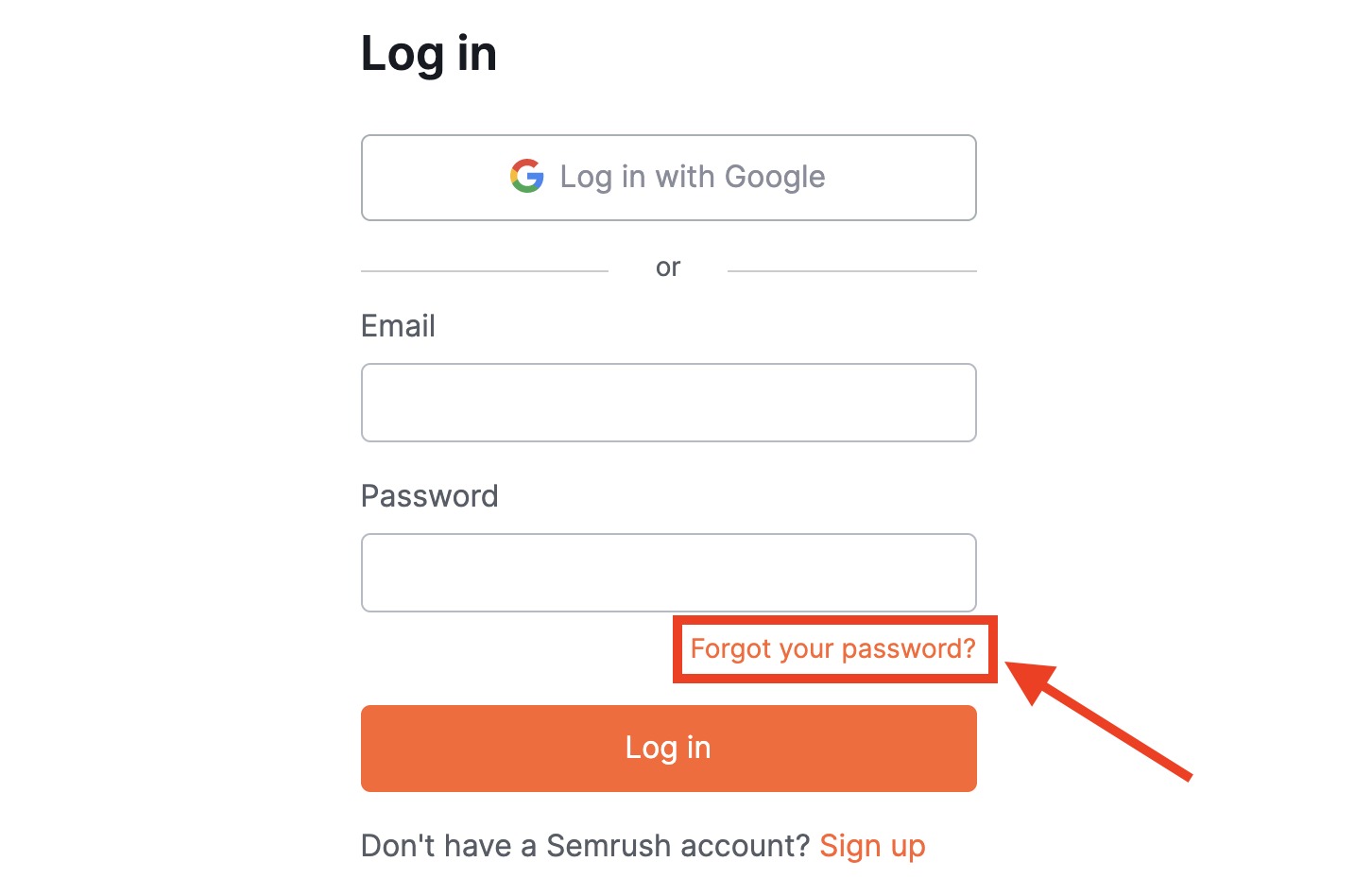
Select “Forgot your password?” and proceed to enter your email in the following window (www.semrush.com/login/restore/) to begin the process of resetting your password.
You will receive a password recovery email. If you don’t see the email in your inbox, please check the spam folder.
There are a few other possible reasons why you’re unable to log in using your credentials:
- You originally signed up using “Log in with Google”, so no password was created for your account.
- Your company has enabled SSO/SAML authentication, which requires a different login method.
If you signed up with Google
Accounts created via Google Sign-In may not have a password set.
To create one:
- Log out of your Semrush account.
- Follow the password setup link.
- Complete the process to create a new password.
After that, you’ll be able to log in using your email and password as usual.
Alternatively, you can disable Google Sign-In:
- Open Manage your Google Account.
- Go to Third-party apps and services.
- Find Semrush and open it.
- Click See details.
- Select Stop using “Sign in with Google”.
If your company uses SSO/SAML
If SSO/SAML authentication is enabled for your account, logging in via the standard Semrush login form won’t work.
Please:
- Use your company’s SSO login page, or
- Contact your IT team if you’re unsure how to proceed or experience issues.
 Back to Billing and Account category